Nano Banana Pro Pet Product Hero & Cute Pet Lifestyle Photos
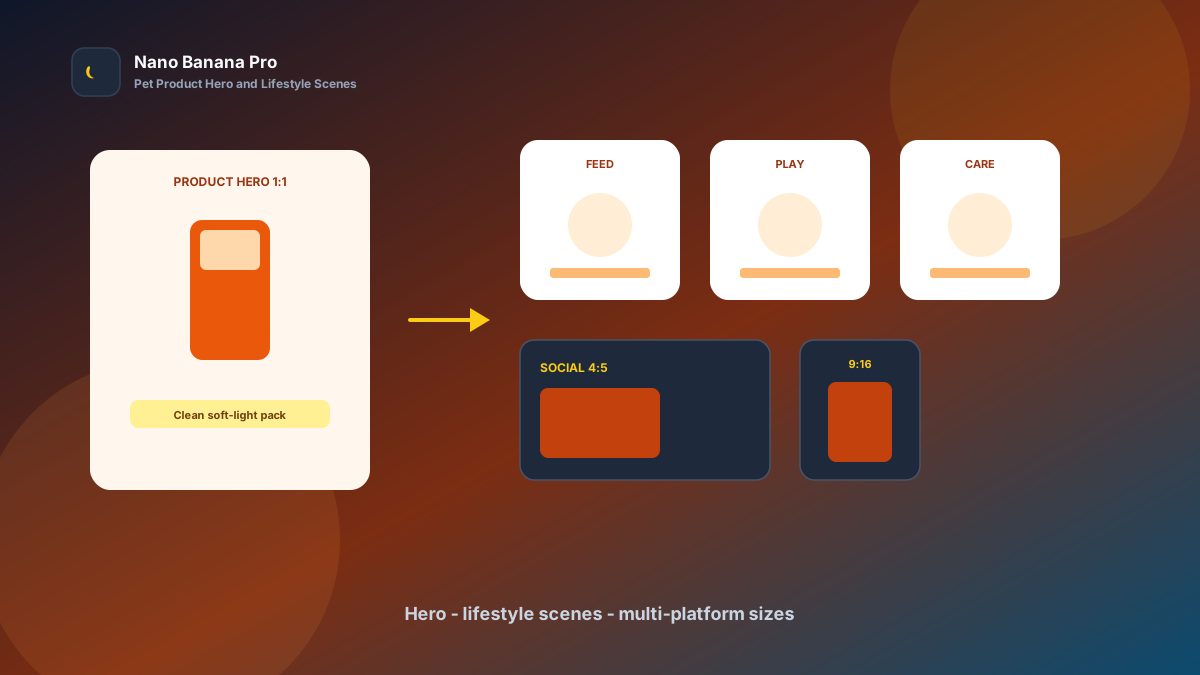
Pet launches fear one thing most: good products with images that do not land. Hero backgrounds look messy, packaging glare is harsh, and cute pet scenes turn into a filter patchwork. Pet parents swipe past in the list before they open the detail page. Nano Banana Pro with Nano Banana img2img and txt2img turns “one set of product photos + three template prompts” into a replicable pet product hero and cute pet lifestyle batch workflow: lock the product hero look first, then batch-extend lifestyle scenes and multi-platform sizes. This article covers the full SOP.
Why Pet Visuals Must Set the Hero Tone First, Then Layer Scenes?
Many operators “reroll” every asset alone, so the hero feels cold white, litter scenes go warm yellow, and social posts use yet another filter. Shoppers suspect a patchwork store. The scientific approach is to lock one high-recognition product hero (Product Hero) as the visual anchor, then copy the same lighting, background, and brand-color logic across every cute pet lifestyle image.
Nano Banana Pro builds on the fast generation experience of Nano Banana and suits commercial pet ecommerce cases that need stable packaging structure, real materials, and clear series identity. Split the flow into three steps—hero tone-setting → cute pet scene extension → ecommerce/social/ad size pack—and you launch like an assembly line.
Workflow Overview: One Hero, Three Output Types
Follow strict order: after the product hero is signed off, all scene and channel images carry similar lighting and palette so the shelf style does not split. The three prompt templates below can be copied into Nano Banana or Nano Banana Pro—replace [brackets] with your product details.
| Stage | Output Type | Typical Use | Core Constraints |
|---|---|---|---|
| 1 | Product hero Product Hero | List cover, first image | Real packaging; clean background |
| 2 | Cute pet / usage scenes | Detail page, seeding long-form | Unified style; readable selling points |
| 3 | Multi-platform size pack | Ecommerce / social / ads | Compliant ratios; selling points not cropped |
Stage 1: Product Hero (List Click-Rate Anchor)
Use for: Tmall / JD / DTC list first images, flagship homepage hero slots, livestream overlay heroes.
Key steps
- Pick the clearest product photo with complete packaging and readable labels as reference.
- Generate a 1:1 or platform-required hero: brighten, declutter, keep real packaging proportions and materials.
- Archive with a version name (e.g.
hero-cat-food-v1.png) as the full-set style reference.
Based on the uploaded pet product photo, generate an ecommerce list hero: product [cat food / dog food / litter / leash], stable composition; forbid changing packaging proportions, bag structure, and label text layout;

Background [clean light tone / soft brand-color gradient], soft light [studio softbox / window natural light], remove table clutter and overexposed glare;
Keep real materials (bag print, clear plastic/metal hardware), avoid over-smoothed plastic look;
Quality suitable for pet ecommerce first images, tone consistent with Nano Banana pet visual standards: clean, credible, clickable.
Pro tip: State clearly “forbid changing packaging proportions and label layout,” or AI may enlarge weight cues or warp packaging. In Nano Banana Pro, img2img from a real photo keeps structure far more stable than pure txt2img.
Stage 2: Cute Pet Scene Extension (Unified Detail-Page Trust)
After the hero sets the tone, batch by selling points: feeding scenes, play scenes, cleaning scenes, and travel scenes.
Based on the uploaded product-hero lighting and brand colors, generate a cute pet lifestyle visual for selling point [feeding / play / cleaning / travel]: keep [same soft light + same background color family], scene [cat/dog + product-in-use moment] clear and readable;

Requirements: belong to the same visual system as the hero; forbid a new filter on every image; natural pet poses; do not invent undeclared efficacy claims;
Composition [1:1 / 3:4], reserve a short-title zone, suitable for **Nano Banana Pro** batch detail-page imaging.
Nano Banana multi-turn dialogue works well for micro-fixes: “cleaner background,” “clearer packaging,” “remove extra clutter”—faster than rewriting the full prompt. Fix scene-image order to lift detail-page completion:
- Hero: list and detail first screen
- Usage scenes 1–3
- Ingredient / selling-point cards
- Size / spec comparison
Stage 3: Multi-Platform Size Pack (Ecommerce, Social, Ads at Once)
After product art is locked, extend channel specs—avoid re-cropping per platform and cutting off selling points. Prepare at least these per SKU:
- 1:1 / 3:4: ecommerce list and detail
- 4:5 / 1:1: social seeding and Moments-style posts
- 9:16: short-video covers and vertical feed
Based on the uploaded pet product hero, adapt to [target ratio: 1:1 / 3:4 / 4:5 / 9:16] pet placement size;

Strictly preserve packaging recognition points, brand palette, and clean tone; only adjust crop and whitespace by ratio;
[9:16 only] keep packaging and selling-point copy clear of the bottom 18% subtitle/button zone;
[3:4 only] keep full packaging in frame; avoid cropping into a partial close-up;
Output ready for ecommerce and social, style consistent with Nano Banana pet standards.
Brand Consistency: Many SKUs Must Not Look Like Different Studios Shot Them
The most common batch-pet failure is a new color temperature on every SKU. When building brand / agency libraries in Nano Banana Pro, lock these habits:
- Same lighting line: e.g. all “studio softbox + light gray background”
- Same background and whitespace rules: forbid cluttered prop stacks
- Fixed suffix line: “Consistent with Nano Banana pet visual standards: real packaging, credible scenes, no over-beautification”
For “pet on camera” scenes, avoid unverifiable efficacy or nutrition promise copy, and keep verifiable live product photos whenever possible.
Batch Checklist (Countdown to the Launch Window)
Count backward from the launch window:
| Day | Task | Tool |
|---|---|---|
| D-4 | Outline SKUs, selling points, pet species, and brand colors | Sheet |
| D-3 | Product photos (clear labels, multiple angles) | Phone / camera |
| D-3 | Generate product hero (Template 1) and lock the look | Nano Banana Pro |
| D-2 | Batch cute pet / usage scenes (Template 2) | Nano Banana Pro |
| D-1 | Extend ecommerce / social / ad sizes (Template 3) | Nano Banana |
| D-0 | Upload to store and sync social seeding posts | Ops |
Efficiency reference: Once fluent, one SKU’s hero plus 4–6 scene drafts can finish within two hours. Teams using Nano Banana Pro shared templates also reduce shelf fracture from designers applying their own filters.
Case Study: Indie Pet Brand Launched Three Cat Litters in 72 Hours
An indie pet brand needed three cat litters live before the weekend; outsourced photography was fully booked, and old heroes glared harshly in mobile lists.
- Input: 8–12 phone photos per SKU, brand primary color, selling-point copy
- Step 1: Stage 1 template made 1:1 heroes—soft light, decluttered, packaging proportions preserved
- Step 2: Batch-generated usage scenes and selling-point cards in the same style
- Step 3: Extended 3:4 detail images and 9:16 short-video covers
- Output: Upload-ready asset pack, entire pipeline in Nano Banana
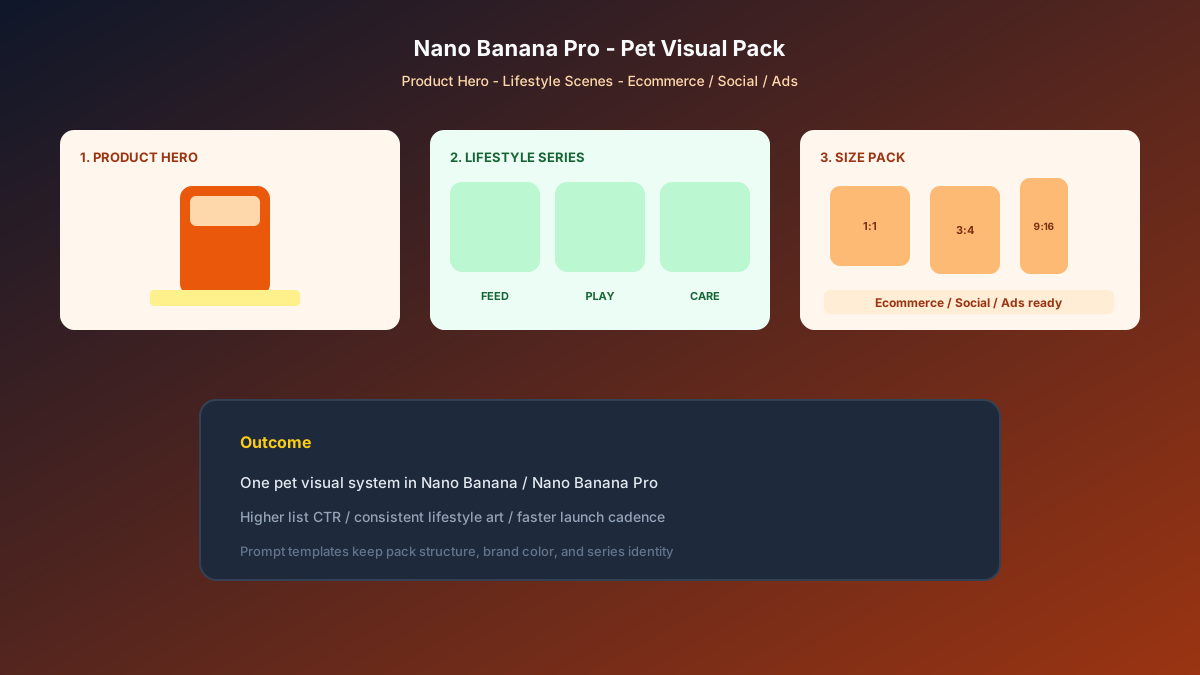
Ops feedback: list CTR rose clearly versus old art; detail dwell time grew; production cost was far below rush external shoots. Structured prompts + stable Nano Banana Pro series imaging let the team spend time on assortment and seeding content.
Conclusion: Leave Trust to the Product, Leave Series Identity to the Workflow
Pet ecommerce competition is about first-image clicks and pet-parent trust. When product art shifts from “ad-hoc retouching” to “hero + template extension,” launch cadence steadies. Nano Banana Pro and Nano Banana fit as the execution engine for this pet SOP—not faking claims, but helping real packaging and usage scenes be seen more clearly.
After your next sample intake, lock the hero first, then open the three templates—you will find pet batch imaging in Nano Banana as clear and controllable as a launch schedule.
FAQ
Q: Will packaging look too fake and trigger complaints?
A: Always keep the live photo as reference and state “do not change packaging proportions or label layout.” Archive marketing art with original photos; Nano Banana Pro img2img stays closer to the real product than pure txt2img.
Q: Cute pet scenes keep jumping styles—what then?
A: Always upload the hero as reference and write “same lighting and color palette.” Spot-check 2 scenes first, then batch.
Q: How should Nano Banana and Nano Banana Pro divide work?
A: Nano Banana Pro for hero sign-off and high-demand series consistency; Nano Banana for size extension and micro-fixes. Templates are shared—pick the entry by account access.